Live clearance while you drag
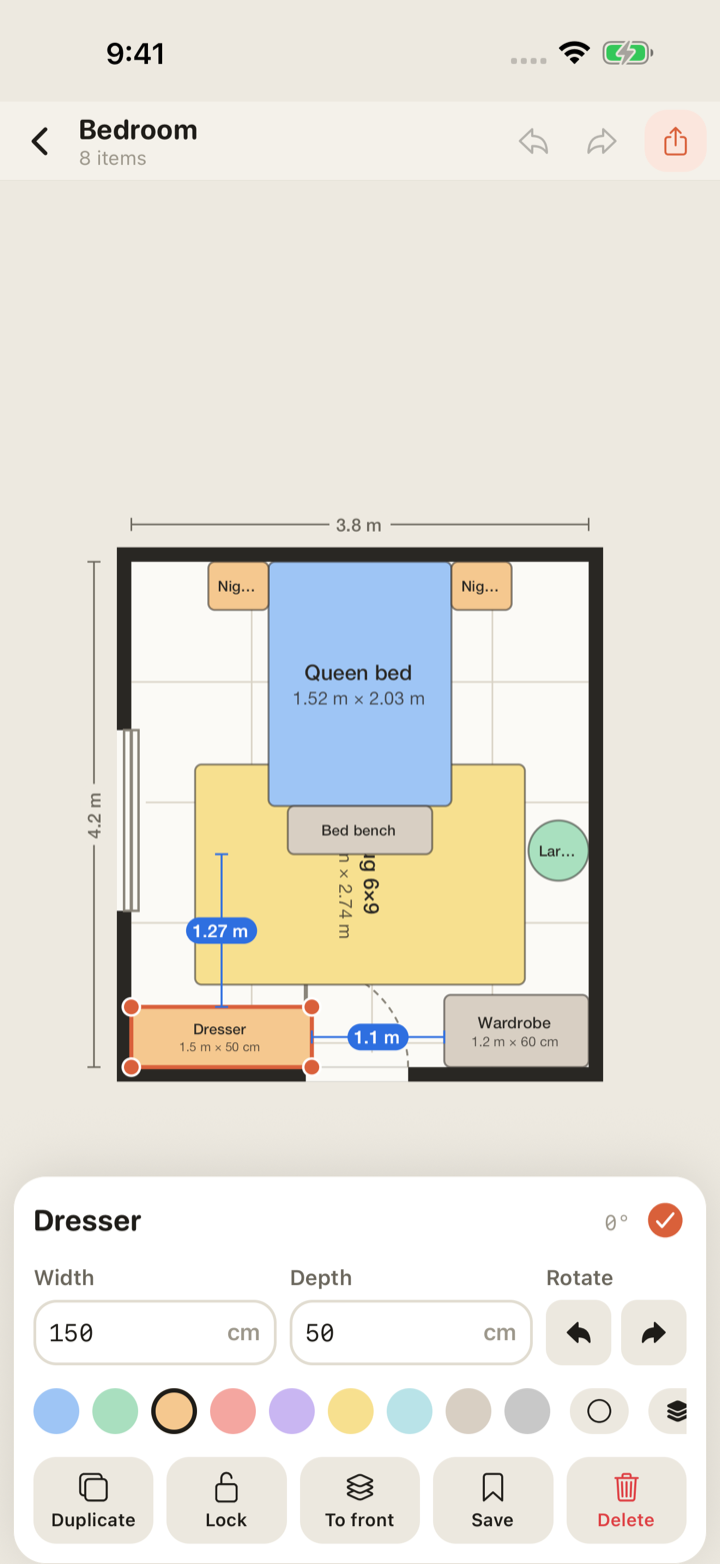
The selected piece shows the gap to each wall and to the nearest item. Under 60 cm (24 in) turns amber. "Will it fit" is answered on the spot, not after the delivery.
Room planner for iPhone & Android
Draw the room, drop in real-size furniture, and watch the clearance to every wall while you drag. Know before you carry the sofa up three flights of stairs.
Free, no sign-up, works offline. One $4.99 unlock for everything, once.
Width and length, metres or feet. Put the door and windows on the walls; doors show their swing.
Search 90+ pieces at real sizes, or type a custom width and depth. They snap to walls and to each other.
Every move shows the clearance to the walls and the nearest piece. Export a to-scale plan for the movers.
The actual app
Six screens, no mock-ups. This is what ships.
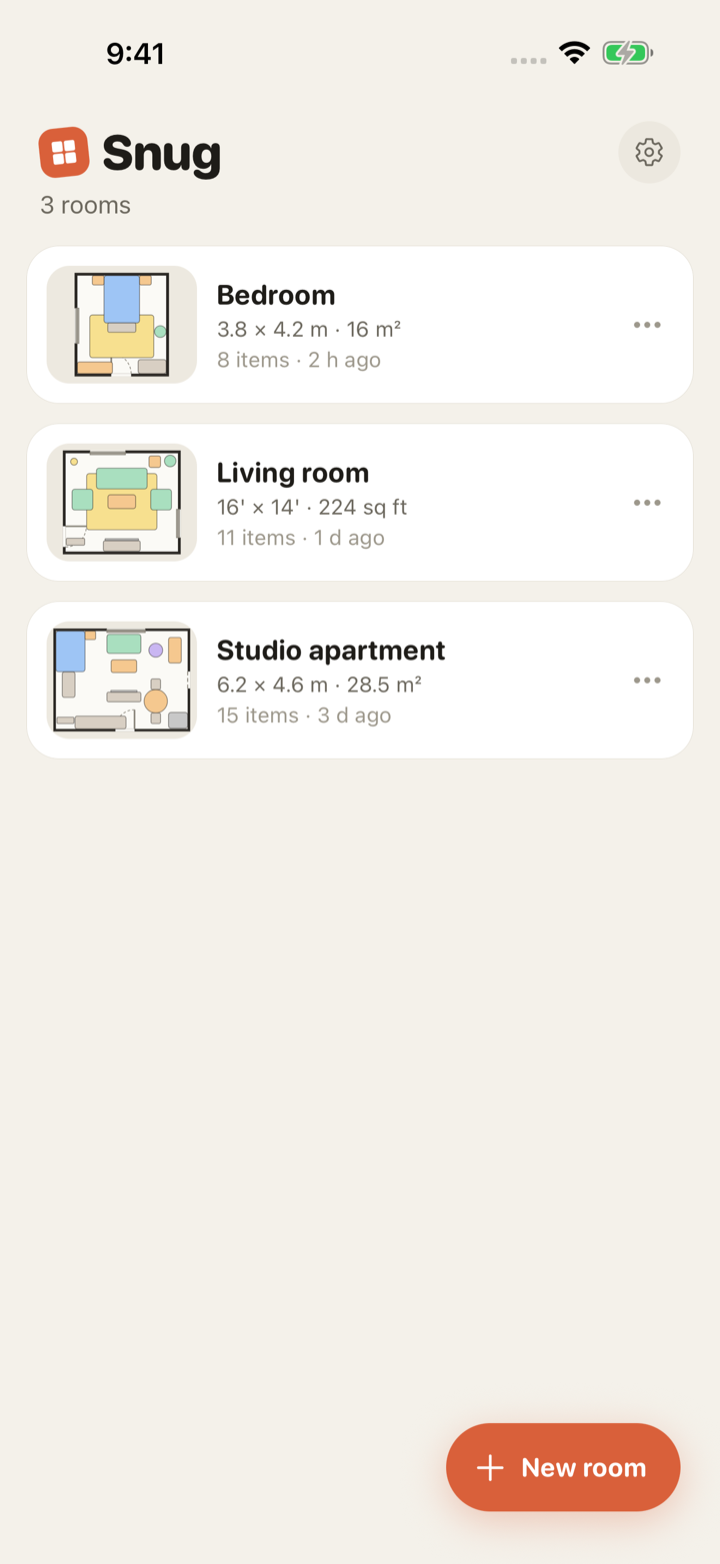
Every room with a to-scale thumbnail, its size and area.
Select a piece and the gap to each wall and the nearest neighbour is written on the plan.
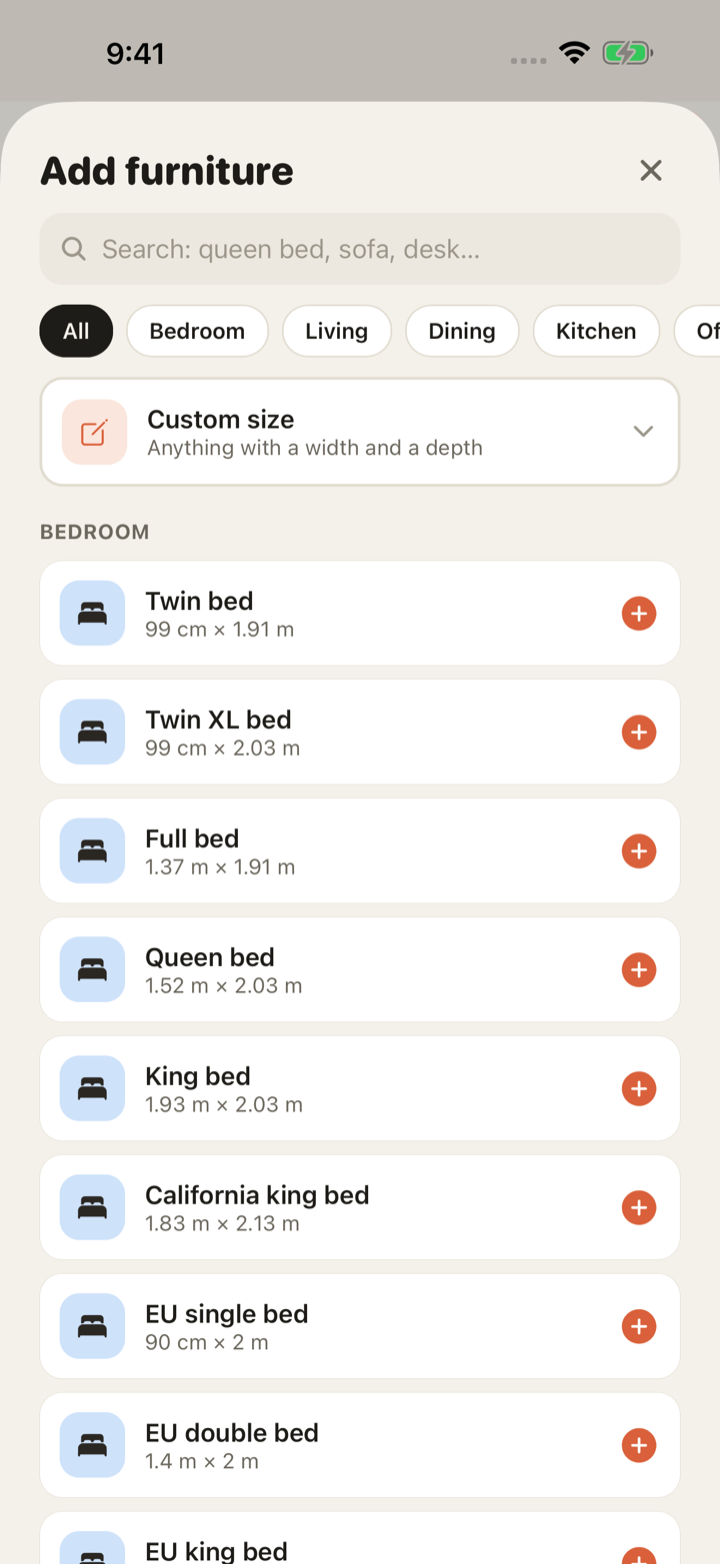
Twin to super king, 2-seat to 4-seat, all at true dimensions. Or type your own.
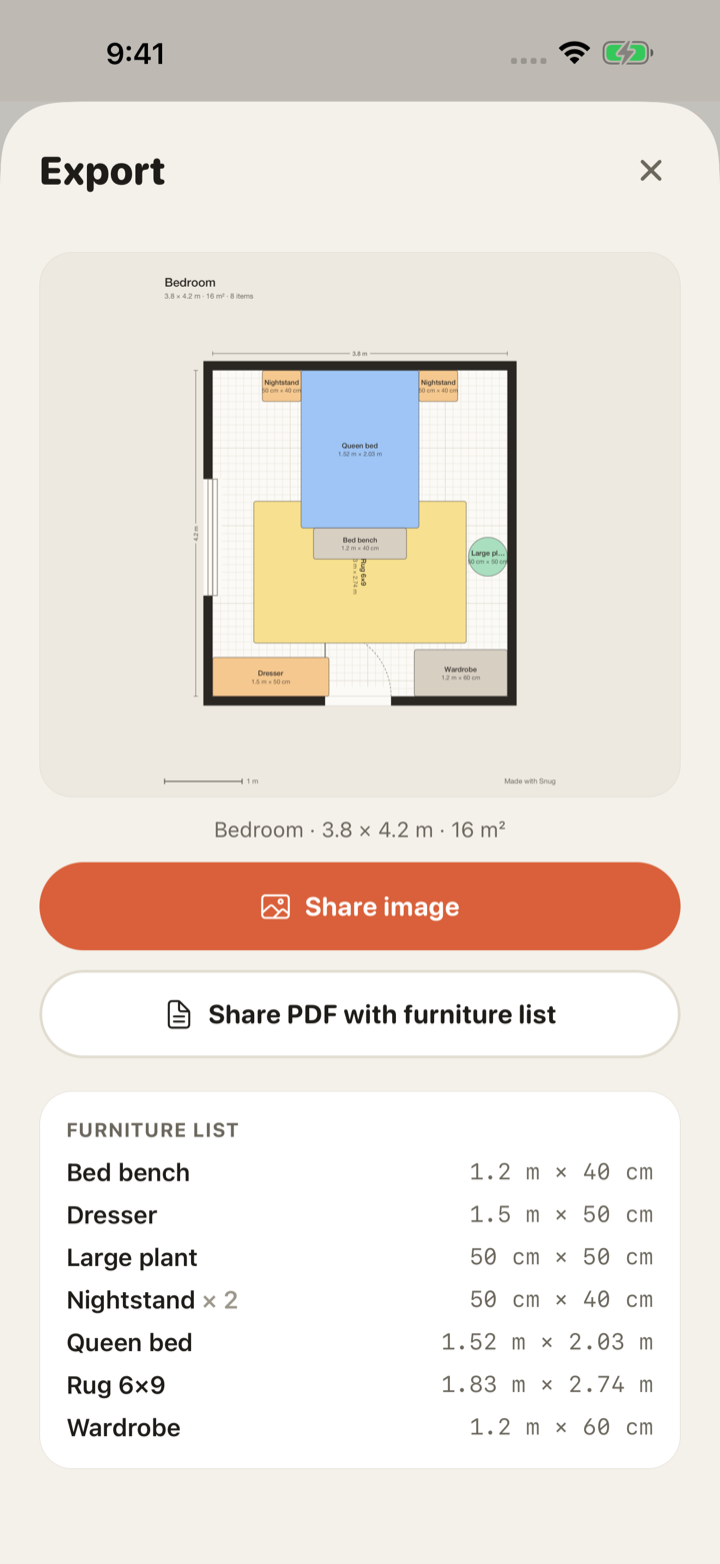
A clean image with dimensions and a scale bar; a PDF with the furniture list.
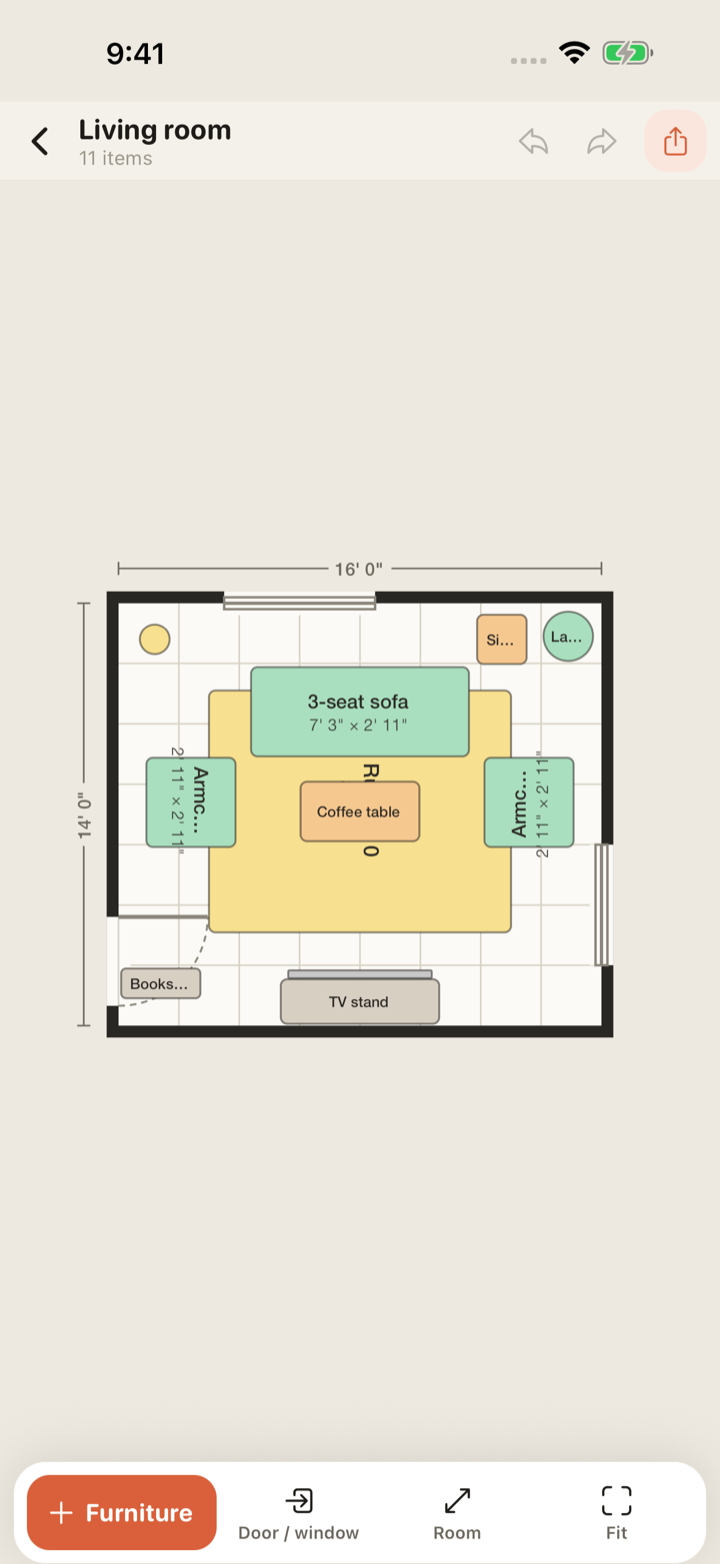
Each room picks its own units. Grid, snapping and every label follow.
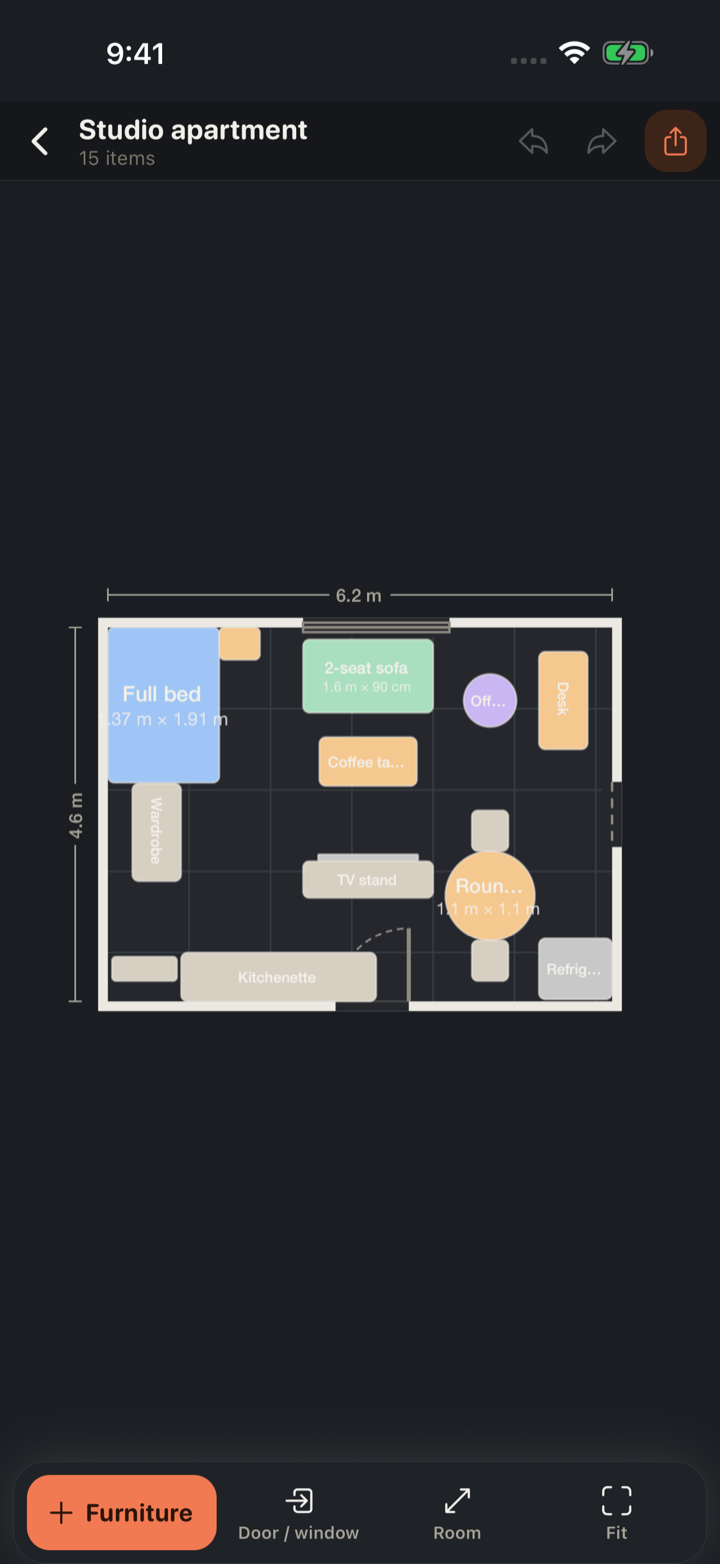
Doors, doorways and windows on any wall. Door swings drawn, so nothing opens into the wardrobe.
You are standing in an empty room, or in the showroom with the dimensions in Notes. Snug works on the phone in your hand, with no connection, and answers one question well.
The selected piece shows the gap to each wall and to the nearest item. Under 60 cm (24 in) turns amber. "Will it fit" is answered on the spot, not after the delivery.
A queen bed is 152 × 203 cm (60 × 80 in). A 3-seat sofa is 220 × 90 cm (87 × 35 in). Ninety-plus pieces at true dimensions, every one editable, plus custom pieces with your own width and depth.
Doors, doorways and windows sit on a wall and slide along it. Doors draw their arc with hinge side and direction, because a door that opens into the wardrobe is the classic mistake.
Pieces snap to walls, to each other and to a 10 cm / 6 in grid with a haptic tick. Rotate with a two-finger twist or 90° taps. Overlaps tint red. Undo is unlimited.
Type 3.8 m or 12' 6". Each room picks its unit system and the grid, the snapping and every dimension label follow it.
No account, no analytics, no ads. Plans live in a local database, with an optional backup to your own iCloud Drive that we can’t read. The only thing Snug sends us is an anonymous crash report so we can fix bugs.
Forever, no trial that flips on you
$0
One purchase, yours forever
$4.99once
That is the entire price list. The free tier gates how many rooms you can create and the PDF output, never anything you have already drawn.
No subscription, no account, no ads. Just an honest answer to “will the couch fit?”