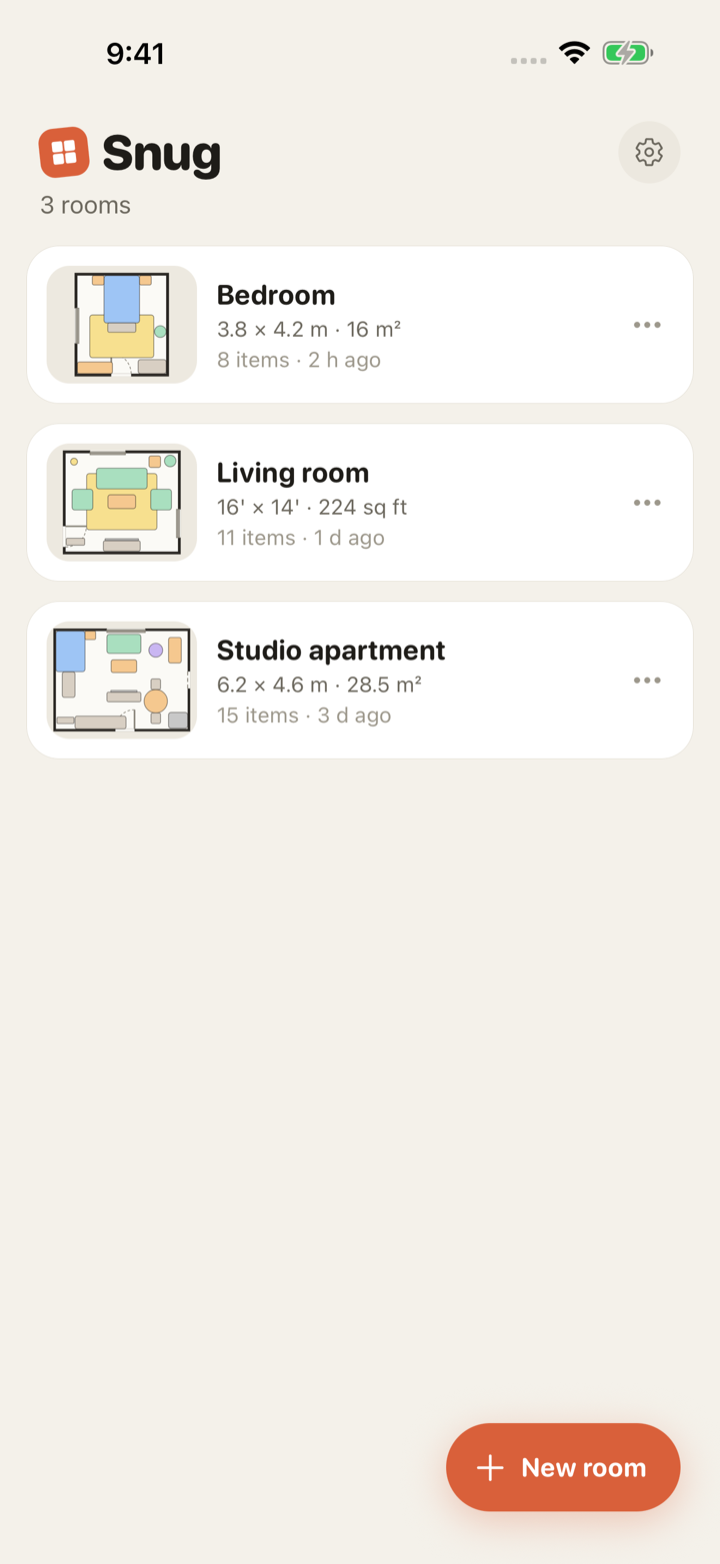
How to plan a room in five minutes
You need two numbers: the width and the length of the room, wall to wall. Measure at floor level along the skirting, and note where the door and windows sit along each wall while you are there. That is all the surveying a floor plan needs.
- Create a room. Name it, pick metres or feet-and-inches, and type the width and length, or tap a preset such as "Bedroom" (3.8 × 4.2 m) or "Living room" (16 × 14 ft).
- Add the door and windows. Drop them on a wall and slide them along it. Doors show their swing arc, hinge side and direction, so you can see what they collide with.
- Add furniture from the library. Every piece comes in at a real-world size: a queen bed is 152 × 203 cm (60 × 80 in), a 3-seat sofa is 220 × 90 cm (87 × 35 in). Search by name, or type a custom width and depth for something you own.
- Drag things into place. Pieces snap to the walls, to each other and to a 10 cm / 6 in grid. Rotate with a two-finger twist or the 90° buttons.
- Read the clearance. The selected piece shows the gap to each wall and to its nearest neighbour. Gaps under 60 cm (24 in) turn amber, which means "you will shuffle sideways past it".
- Export. A clean, to-scale image with dimensions and a scale bar goes straight to the share sheet; the unlock adds a PDF with a furniture list.
What makes a plan useful, not just pretty
The value of a floor plan is in the numbers. Snug draws every dimension it knows on the plan itself, as an architect would: the room size on the outside, each piece labelled with its own size, and live clearance lines to whatever is nearby. Overlapping pieces tint red so a layout that only works because two things occupy the same square metre cannot sneak through.
Real sizes matter more than most people expect. A "3-seat sofa" ranges from about 180 to 240 cm (71 to 94 in) wide depending on the arms, and a difference of 20 cm (8 in) is the difference between a doorway that opens and one that does not. Every size in Snug is editable after placing, so measure the piece you are actually buying and type it in.
What Snug leaves out, on purpose
No 3D, no rendering, no AR measuring, no AI decorator, no cloud sync, no account. Those features are why other room planners charge a subscription, and none of them changes whether the wardrobe fits beside the door. Snug is a tape measure that remembers, priced like a tool you buy once: one room and every editing feature free, one $4.99 unlock for unlimited rooms, PDF export, duplicating a room to compare layouts, and a personal furniture library.
Questions people ask
- Is the room planner really free?
- Yes. One room, every editing feature and image export are free with no time limit, no account and no ads. The one-time $4.99 unlock adds unlimited rooms, duplicate-a-room, PDF export and saved custom furniture.
- Does it work in feet and inches?
- Yes. Each room is either metric or imperial. You can type sizes like 7' 6" or 90 in, the grid snaps at 6 inches, and every dimension on the plan reads in feet and inches.
- Can I plan a room that is not a rectangle?
- Not yet. Version 1 plans rectangular rooms. L-shaped and notched rooms, made by subtracting rectangles, are next on the roadmap.